WordPress SEO Guide: The Complete Roadmap to Optimizing Your Site for Search Engines (2026)
WordPress SEO Guide: The Complete Roadmap to Optimizing Your Site for Search Engines (2026)
WordPress powers approximately 43 percent of all websites on the internet, making it the world's most popular content management system by a significant margin. From small personal blogs to enterprise-level corporate websites, from e-commerce stores to news portals, millions of sites rely on WordPress as their foundation. However, despite WordPress's inherent SEO-friendly architecture, achieving strong organic search performance requires proper configuration, optimization, and ongoing maintenance.
In this comprehensive guide, we will walk through every aspect of WordPress SEO step by step. From foundational settings to advanced techniques, from plugin selection to performance optimization, you will have a complete roadmap for maximizing your site's search visibility in 2026.
Why WordPress Is a Strong Choice for SEO
WordPress offers several compelling advantages that make it an excellent platform for search engine optimization. Understanding these strengths helps you leverage them effectively.
First, WordPress generates clean and semantic HTML output. Search engine bots can crawl and understand your content efficiently. Heading tags follow proper hierarchical structure, and content blocks are organized in a logical manner that search engines can parse without difficulty.
Second, the massive plugin ecosystem makes SEO tasks accessible to everyone. From XML sitemap generation to schema markup implementation, from page speed optimization to content analysis, professional-grade tools are available for every SEO need. These plugins enable users with limited technical knowledge to execute effective SEO strategies.
Third, WordPress receives continuous updates that maintain compatibility with modern web standards. Core Web Vitals compliance, responsive design support, and accessibility features improve with each release. The platform evolves alongside search engine requirements.
Fourth, the enormous WordPress community provides virtually unlimited resources. Solutions to most SEO-related problems can be found in forums, blogs, and official documentation. This support network is especially valuable for those new to SEO.
Essential WordPress SEO Settings
Several critical SEO settings must be configured immediately after installing WordPress. These settings form the foundation of your site and getting them right ensures that all subsequent SEO work builds on a solid base.
Permalink Structure
WordPress's default permalink structure uses a query string format with question marks and numbers. This structure is meaningless to both users and search engines. You must change the permalink structure from the Settings panel.
The best practice is to use the Post Name format. This creates readable, keyword-rich URLs. For example, instead of yoursite.com/?p=123, you get yoursite.com/wordpress-seo-guide which clearly communicates the page topic to both users and search engines.
If you want to include categories in your URLs, you can use the Custom Structure option to combine category and post name. However, exercise caution with this approach because future category changes will alter URLs and potentially create 404 errors unless proper redirects are in place.
Search Engine Visibility Setting
The search engine visibility option found under Settings then Reading is critically important. Ensure this checkbox is unchecked. When enabled, WordPress adds a noindex meta tag to your entire site, preventing search engines from indexing any of your content.
This setting can be useful during development, but you must verify it is disabled before launching your site. SEOctopus's Technical SEO Audit module automatically detects this type of critical configuration error and alerts you immediately.
WWW vs Non-WWW
You need to decide whether your site will be accessible at www.yoursite.com or yoursite.com. Both versions are technically valid, but you must choose one and redirect the other. Having both versions accessible simultaneously creates duplicate content issues that dilute your SEO value.
After setting your preferred version in WordPress Settings, configure a 301 redirect in your hosting panel or .htaccess file to ensure all traffic is directed to the correct version.
SSL Certificate
HTTPS is no longer optional in 2026. Google uses HTTPS as a ranking signal, and browsers display security warnings on non-secure sites that drive visitors away. When SSL is active on your WordPress site, verify that the site addresses in Settings begin with https.
Best WordPress SEO Plugins Compared
WordPress SEO plugins streamline and automate your search engine optimization workflow. Let us examine the three dominant plugins in 2026 with a balanced comparison of their strengths and weaknesses.
Yoast SEO
Yoast SEO is the oldest and most widely used WordPress SEO plugin with over 12 million active installations. It has been the industry standard for years.
Strengths: Provides content readability analysis that offers valuable feedback from both SEO and user experience perspectives. Breadcrumb support, XML sitemap generation, canonical URL management, and social media preview features are comprehensive. The guided interface makes it easy for beginners to learn.
Weaknesses: The free version has limited features. Schema markup options are more extensive in the premium version. It can sometimes create a noticeable performance overhead. The interface may feel oversimplified for advanced users who want granular control.
Rank Math
Rank Math has grown rapidly in recent years and has become a serious alternative to Yoast. Its generous free version offerings have attracted a large and loyal user base.
Strengths: The free version includes multiple keyword tracking, advanced schema markup options, 404 monitoring, and redirect management. Google Search Console integration lets you view search performance directly from your WordPress dashboard. The interface is modern and user-friendly.
Weaknesses: Being a relatively newer plugin means occasional bug reports. The abundance of features can be overwhelming for beginners. Some advanced features still require the premium version.
All in One SEO (AIOSEO)
All in One SEO is one of the oldest WordPress SEO plugins with over 3 million active installations. It is known for its simplicity and reliability.
Strengths: Setup and configuration are straightforward. The wizard-based setup is ideal for beginners. WooCommerce integration is strong. Local SEO features are valuable for small businesses.
Weaknesses: The free version is quite limited. Content analysis is not as detailed as Yoast or Rank Math. Premium version is almost necessary for advanced features.
Whichever plugin you choose, SEOctopus's On-Page Checker can identify technical SEO issues beyond what your plugin recommends, giving you a more comprehensive optimization perspective.
XML Sitemap Configuration
An XML sitemap is a critical file that communicates your site's structure and content map to search engines. Since WordPress 5.5, a basic XML sitemap is generated automatically, but SEO plugins provide far more sophisticated sitemap management.
Key considerations for sitemap configuration include the following. First, exclude pages you do not want indexed from the sitemap. Tag archives, author archives, and thin content pages should generally be excluded.
For large sites, ensure the sitemap does not exceed the 50,000 URL limit by using a sitemap index. SEO plugins handle this splitting automatically. Submit your sitemap to Google Search Console and Bing Webmaster Tools.
Specify the last modification date (lastmod) accurately in your sitemap. This information tells search engines which pages need recrawling. Providing incorrect lastmod dates for unchanged pages wastes your crawl budget.
Robots.txt Management in WordPress
The robots.txt file tells search engine bots which parts of your site to crawl and which to skip. WordPress automatically generates a virtual robots.txt file, but customizing it is important for optimal crawl management.
In a proper WordPress robots.txt file, you should block the wp-admin directory but allow access to wp-admin/admin-ajax.php. Do not block CSS and JavaScript resources from theme and plugin files because Google cannot properly render your pages if it cannot access these resources.
Include your XML sitemap URL in your robots.txt file. This helps search engines discover your sitemap easily. SEOctopus's technical SEO audit analyzes your robots.txt file and reports potential errors and optimization opportunities.
Theme Selection for SEO
Your WordPress theme choice directly impacts SEO performance. A visually attractive theme does not automatically mean an SEO-friendly theme. Consider these critical factors when selecting a theme.
Page Speed
The lighter and more optimized the theme, the faster your pages load. Unnecessary JavaScript and CSS files increase load times. Before selecting a theme, test it with GTmetrix or PageSpeed Insights. Verify that Core Web Vitals metrics are at acceptable levels.
Clean Code Structure
The theme's HTML output should be semantic and clean. Heading tags must follow proper hierarchical structure, unnecessary div layers should be minimal, and ARIA accessibility attributes should be supported. Review the theme's source code to evaluate code quality.
Schema Markup Support
A good theme provides basic schema markup support. Fundamental schema types like Article, BreadcrumbList, and WebSite should be built into the theme's structure. This support helps you achieve rich snippets in search results.
Responsive Design
Mobile compatibility is an absolute requirement in 2026. Google uses mobile-first indexing, and sites that are not mobile-friendly experience ranking losses. Test the theme across different screen sizes and devices.
GeneratePress, Astra, Kadence, and flavor themes are known for being both lightweight and SEO-friendly. If you plan to use a page builder, consider performance-focused options like Elementor, Beaver Builder, or Bricks.
WordPress Page Speed Optimization
Page speed is a critical factor for both user experience and SEO. Google's Core Web Vitals metrics are direct ranking factors. Follow these steps to optimize your WordPress site's speed.
Caching Plugins
Caching plugins allow WordPress to serve static HTML files instead of running database queries for every page request. This dramatically reduces page load times.
WP Rocket is a premium plugin but offers the most comprehensive caching solution. It combines page caching, browser caching, GZIP compression, JavaScript and CSS minification, and lazy loading in a single plugin.
LiteSpeed Cache delivers exceptional performance on LiteSpeed servers. Its ability to perform server-level caching is its greatest advantage. Being free makes it even more attractive.
W3 Total Cache is a free and feature-rich option, though configuration can be complex. It provides flexibility for advanced users who want granular control over caching behavior.
Image Optimization
Images typically constitute the largest portion of page size. Using WebP or AVIF format images can significantly reduce file sizes. Plugins like ShortPixel, Imagify, or Smush automate the image optimization process.
Enable lazy loading so that only images visible in the viewport load during initial page render. WordPress 5.5 and later includes native lazy loading support, but plugins offer more advanced control.
CDN Usage
A Content Delivery Network serves your static files from servers distributed across different regions worldwide. This reduces load time based on the user's physical location. Cloudflare, BunnyCDN, and KeyCDN are popular CDN options.
Database Optimization
The WordPress database accumulates unnecessary data over time. Post revisions, spam comments, transient options, and remnants from deleted plugins slow down your database. Use plugins like WP-Optimize to perform regular database cleanup.
Content Optimization in WordPress
No matter how strong your technical infrastructure is, successful SEO fundamentally depends on quality, optimized content. The WordPress editor provides powerful tools for content optimization.
Working with the Block Editor (Gutenberg)
The WordPress block editor has made content creation modular. You can create structured content using heading blocks, paragraph blocks, list blocks, and media blocks. The block editor makes it easy to visually track your heading hierarchy.
The H1 tag is automatically used for your post title. Within your content, use H2 and H3 subheadings in a logical hierarchy. H2 represents main section headings while H3 represents subsection headings. Avoid skipping heading levels, meaning do not jump from H2 directly to H4.
Internal Linking Strategy
Internal links help search engines understand your site's structure and distribute page authority. Make it a habit to link to relevant existing content whenever you create new content.
Anchor text should be descriptive and natural. Instead of generic phrases like click here, use content-descriptive text like our WordPress page speed optimization guide. SEOctopus's On-Page Checker identifies internal linking opportunities to help strengthen your content network.
Content Length and Depth
In 2026, superficial content struggles to succeed in search results. Search engines reward content that covers topics comprehensively and in depth. However, length alone is not sufficient. Content must align with user search intent and provide genuine value.
Every paragraph should serve a purpose. Avoid repetition and present new information in each section. Enrich content with lists, tables, and visual elements.
WordPress Security and SEO
Website security directly impacts SEO performance. Google can remove hacked sites from search results, and browsers displaying security warnings can reduce your organic traffic to zero.
SSL and HTTPS
As mentioned earlier, SSL certification is mandatory. However, simply installing a certificate is not enough. You also need to resolve mixed content issues. If your pages load resources (images, scripts, styles) over HTTP, browsers will display warnings. Use SSL checker tools to identify and fix mixed content problems.
Regular Updates
Keep WordPress core, themes, and plugins updated regularly. Updates patch security vulnerabilities and resolve compatibility issues. You can enable automatic updates or perform manual checks weekly.
Security Plugins
Plugins like Wordfence, Sucuri Security, and iThemes Security offer features including brute force protection, file integrity monitoring, and malware scanning. These plugins help prevent your site from being hacked and consequently protect your SEO performance.
Backups
Regular backups may not be directly related to SEO, but they enable you to quickly restore your site if something goes wrong. Create an automatic backup schedule with plugins like UpdraftPlus or BlogVault.
WordPress Hosting and SEO
Your hosting choice affects SEO performance through page speed, server stability, and security. Cheap shared hosting plans can lead to slowdowns and crashes during high-traffic periods.
Managed WordPress hosting is the ideal choice for SEO. Providers like Kinsta, WP Engine, Cloudways, and Flywheel offer server environments optimized specifically for WordPress. Automatic caching, CDN integration, daily backups, and security monitoring come as standard features.
Server location should be close to your target audience's geographic location. If you are targeting users in a specific region, choosing a nearby server improves TTFB (Time to First Byte). While CDN usage mitigates this factor, the origin server location still matters.
PHP version also directly affects performance. Ensure your WordPress site runs on the latest PHP version (PHP 8.3 or higher for 2026). Newer PHP versions provide both speed and security improvements.
Category and Tag Optimization
WordPress's taxonomy system consisting of categories and tags can be powerful SEO tools when used correctly. However, incorrect usage leads to duplicate content and crawl budget waste.
Categories represent your content hierarchy and cover broad topics. Assign each post to at least one category. Avoid creating too many categories as this unnecessarily fragments your content. Ensure each category has a sufficient number of posts.
Tags associate content horizontally. Use them to mark specific topics within your content. Avoid creating tags that are only assigned to a single post because that tag page will list only one article, creating a thin content problem.
Optimize your category and tag archive pages. Write a unique description for each category. This description appears at the top of the archive page and provides search engines with information about the page's topic.
WordPress Schema Markup
Schema markup helps search engines better understand your content and enables rich snippets in search results. There are several methods to add schema markup in WordPress.
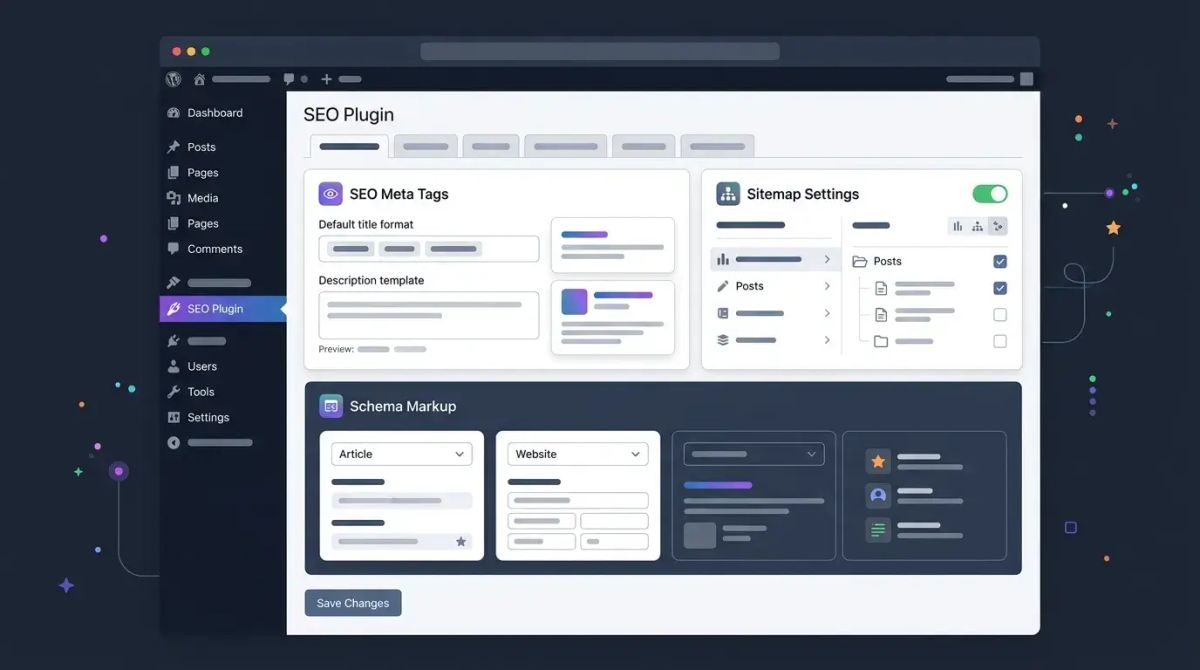
SEO plugins provide basic schema markup support. Yoast SEO and Rank Math automatically add fundamental schemas like Article, WebSite, BreadcrumbList, and Organization. More advanced schema types may require premium versions or additional plugins.
Dedicated plugins like Schema Pro and WP Schema support FAQ, HowTo, Product, Review, Event, and many more schema types. These plugins allow you to add structured data compatible with rich snippets without requiring technical knowledge.
It is also possible to manually add schema in JSON-LD format. You can add custom schema types to your pages through the theme's functions.php file or through a custom plugin. This method provides the most flexibility but requires technical expertise.
SEOctopus's Technical SEO Audit module analyzes your schema markup implementations, detects missing or incorrectly configured structured data, and provides improvement recommendations.
WordPress Multilingual SEO
Serving content in multiple languages is important for global reach, but multilingual WordPress sites require special SEO attention.
WPML (WordPress Multilingual Plugin)
WPML is the most comprehensive multilingual WordPress solution. It creates separate URL structures for each language (subdirectories or subdomains), automatically manages hreflang tags, and is compatible with most plugins including WooCommerce. It is a premium plugin requiring an annual license.
Polylang
Polylang offers basic multilingual features in its free version. It provides language-based content management, hreflang tags, and a language switcher widget. It is lighter than WPML, though some advanced features require the premium version.
Critical Points for Multilingual SEO
Create unique content for each language version. If you use automatic translation, always have a human editor review the output because low-quality translations negatively impact SEO performance. Ensure hreflang tags are configured correctly. Incorrect hreflang implementation causes search engines to display the wrong language version.
Create separate XML sitemaps for each language and verify each language version separately in Google Search Console. With SEOctopus, you can monitor the technical SEO status of all language versions from a single dashboard and quickly identify issues.
Common WordPress SEO Mistakes
Knowing the most common SEO mistakes WordPress users make and avoiding them is critical to your success.
Not changing the default permalink structure is the most fundamental error. Meaningless URL structures send negative signals to both search engines and users.
Installing too many plugins kills page speed. Each plugin loads additional CSS and JavaScript files. Only install plugins you genuinely need and delete those you no longer use.
Neglecting image optimization unnecessarily inflates page size. Failing to add alt tags also prevents search engines from understanding your images. Add a descriptive alt tag to every image.
Ignoring duplicate content particularly between category, tag, and author archive pages and original content creates serious SEO issues. Manage this problem with canonical tags and noindex directives.
Neglecting internal links prevents page authority distribution and makes it difficult for search engines to understand content relationships. Build a systematic internal linking strategy.
Not testing mobile compatibility is a serious mistake given the growing share of mobile traffic. Regularly test your site across different devices and screen sizes.
WordPress vs Headless CMS for SEO
In 2026, the headless CMS approach is becoming increasingly popular. Architectures where WordPress is used solely as the content management layer while the front end is built with separate frameworks like Next.js, Nuxt.js, or Astro are becoming more common.
SEO advantages of the headless approach include faster page load times, SSR and SSG capabilities offered by modern frameworks, greater technical control, and better Core Web Vitals scores.
Advantages of traditional WordPress include lower technical complexity, a wider plugin ecosystem, easier content management, and lower development costs. Additionally, SEO plugins work directly in traditional WordPress without requiring additional configuration.
When making this decision, evaluate your team's technical capabilities, budget, and project scale. For small and medium sites, traditional WordPress is generally sufficient. For large-scale projects requiring high performance, the headless approach may be more appropriate.
Frequently Asked Questions
Should I use a free or premium SEO plugin for WordPress?
Free plugins provide sufficient basic features for most sites. Rank Math's free version is particularly powerful. However, for large sites and advanced needs, the premium features including advanced schema markup, content analysis, and priority support are worth the investment. If your budget is limited, start with the free version and upgrade as your needs grow.
How often should I update my WordPress sitemap?
WordPress SEO plugins update the sitemap automatically. When you publish new content or update existing content, the sitemap refreshes automatically. Manual intervention is generally unnecessary. However, after making major structural changes (category restructuring, bulk URL changes), check your sitemap and resubmit it through Google Search Console.
How do I measure my WordPress page speed?
Google PageSpeed Insights, GTmetrix, and WebPageTest are the most reliable page speed measurement tools. Monitor Core Web Vitals metrics (LCP, INP, CLS) regularly. SEOctopus's site monitoring module tracks these metrics automatically and alerts you when performance drops. Remember to test different page types (homepage, blog post, category page) separately.
Which WordPress hosting provider is best for SEO?
Kinsta, WP Engine, Cloudways, and SiteGround are leading options in the managed WordPress hosting space. All offer server environments optimized for WordPress, automatic caching, and CDN support. When choosing, evaluate server location options near your target audience, PHP version support, and scalability features.
How do I correctly configure hreflang tags in WordPress?
Multilingual plugins like WPML or Polylang manage hreflang tags automatically. If configuring manually, add hreflang tags for all language versions to each page's head section. Do not forget the x-default value. Hreflang tags must be reciprocal, meaning if page A points to page B, then page B must also point to page A. SEOctopus's technical audit automatically detects hreflang errors.
How does SEO differ for WordPress WooCommerce sites?
WooCommerce sites face additional SEO challenges including product pages, category pages, filtering parameters, and stock status management. Product schema must be configured correctly, product images optimized, and out-of-stock product pages managed properly. Use canonical tags and robots directives to prevent unnecessary indexing of filter URLs. WooCommerce-specific SEO plugins offer features tailored to these challenges.
Can WordPress security vulnerabilities affect my SEO rankings?
Yes, they directly affect rankings. A hacked site can be flagged as unsafe by Google and removed from search results entirely. Malware injection can create unwanted content and links on your site, severely damaging your SEO performance. Protect your site with regular security scans, updates, and security plugins. If a security breach occurs, clean it up quickly and submit a reconsideration request through Google Search Console.